Directions on how to create a list within ReachMail. Easily upload or create a new list.
Check out our video tutorial as well!
After logging into your ReachMail account:
- Go to the Lists tab
- Click New
- Choose Create a List (as shown below)
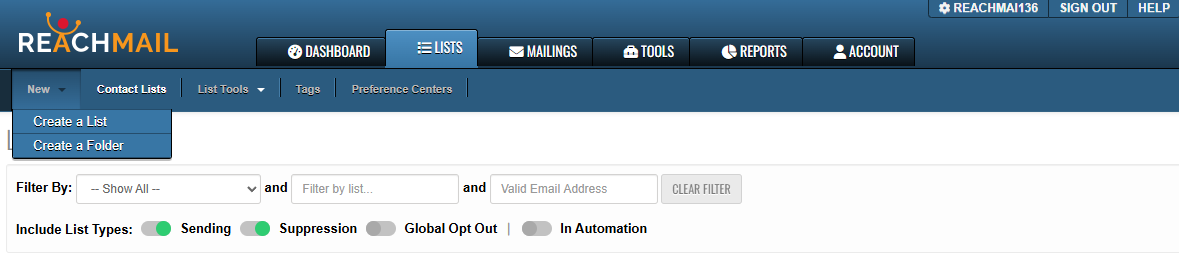
When you select Create a List:
- A form will appear (as shown below)
- You can name your list
- Choose the fields you'll import or collect about your recipients.
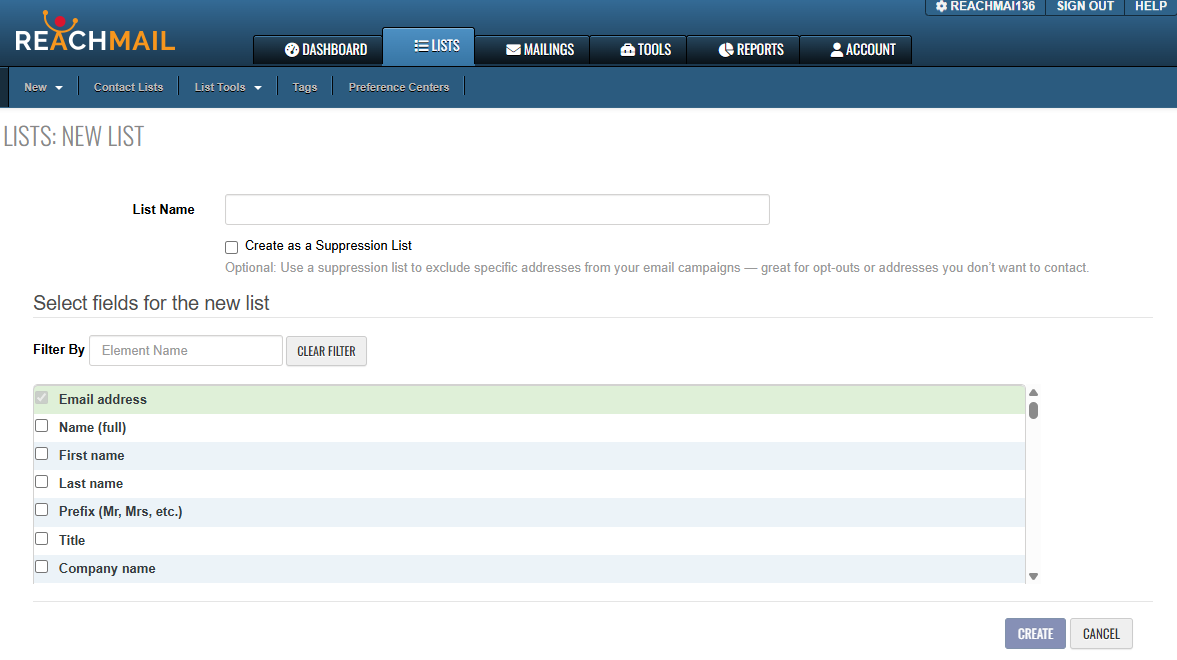
- Complete all required fields
- The Create button will become active
- Click Create Choose how you want to add recipients to your new list
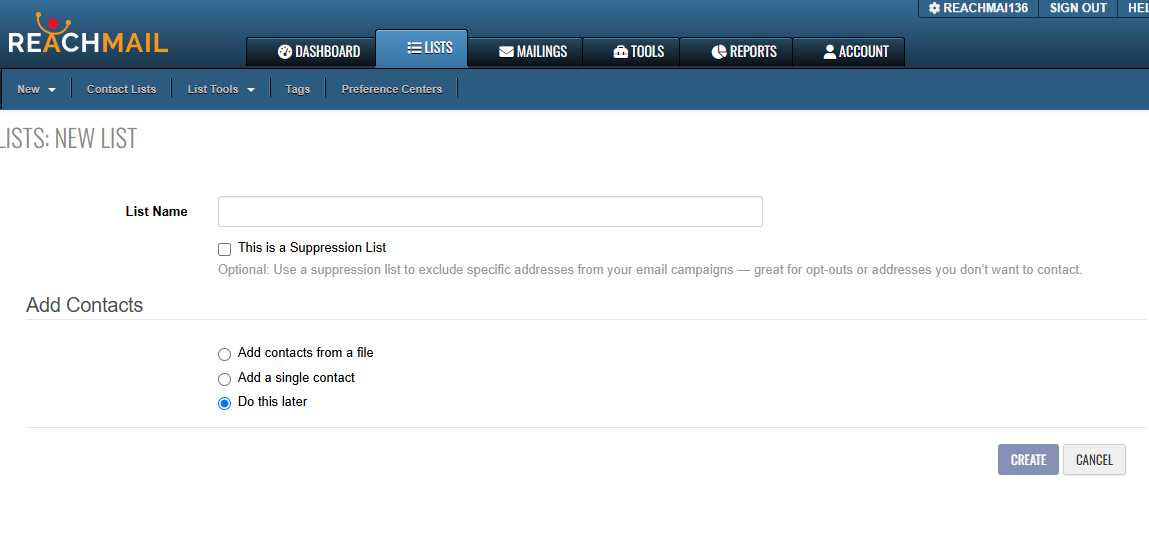
From here you will decide if you wish to upload a list or add contacts manually.
