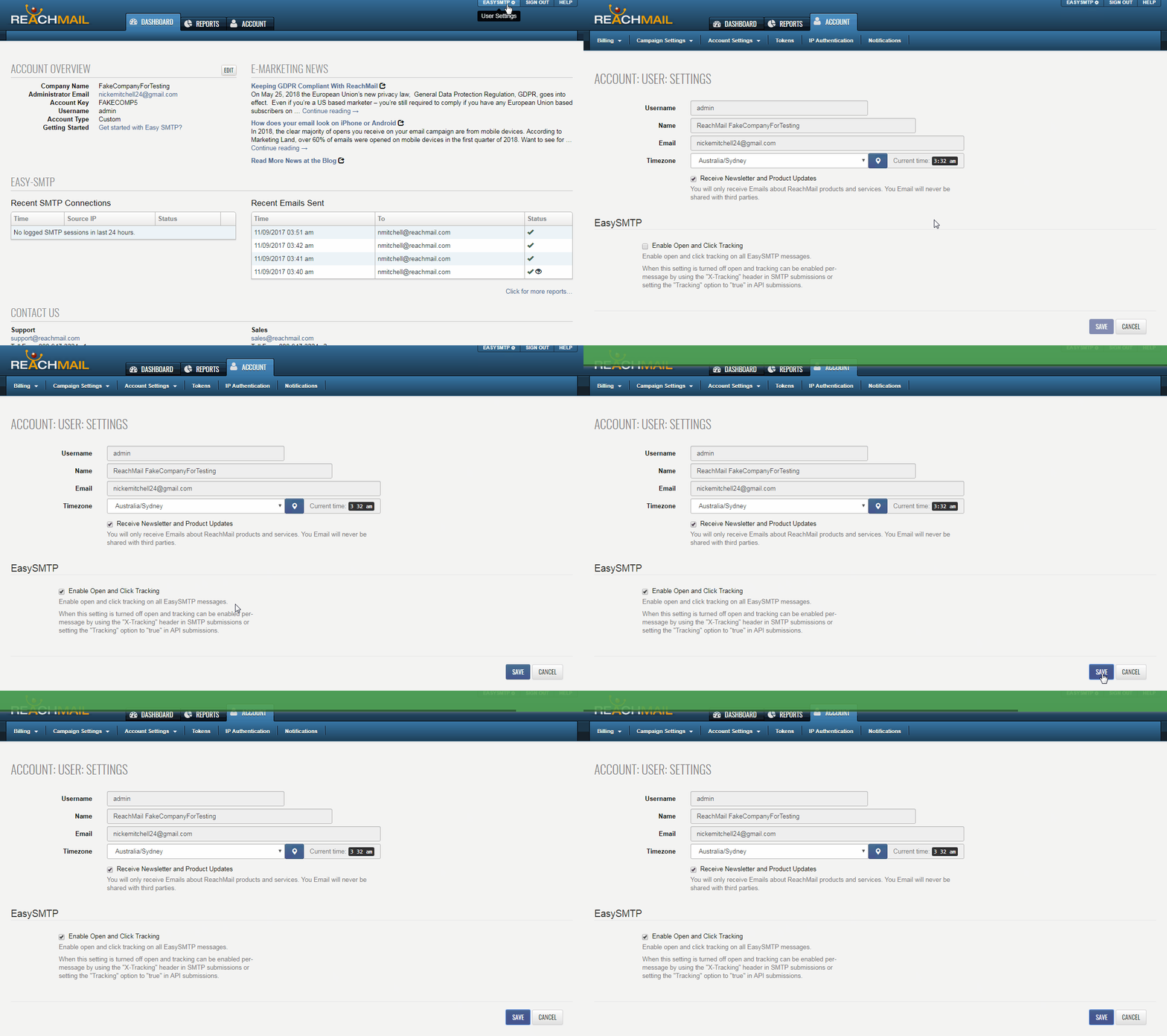
How to enable the Open and Link Tracking on your ReachMail Easy-SMTP Relay account. The default is off.
To enable open and link tracking for all Easy-SMTP messages:
- Click your User Settings (Account Key + cog wheel) in the upper-right corner.
- Go to the Easy-SMTP section.
- Check Enable Open and Click Tracking.
If turned off, tracking can still be enabled per message using the X-Tracking header in SMTP or setting Tracking = true in API submissions.