Create a Preference Center that allows your recipients to manage their preferences.
How to Create a Preference Center
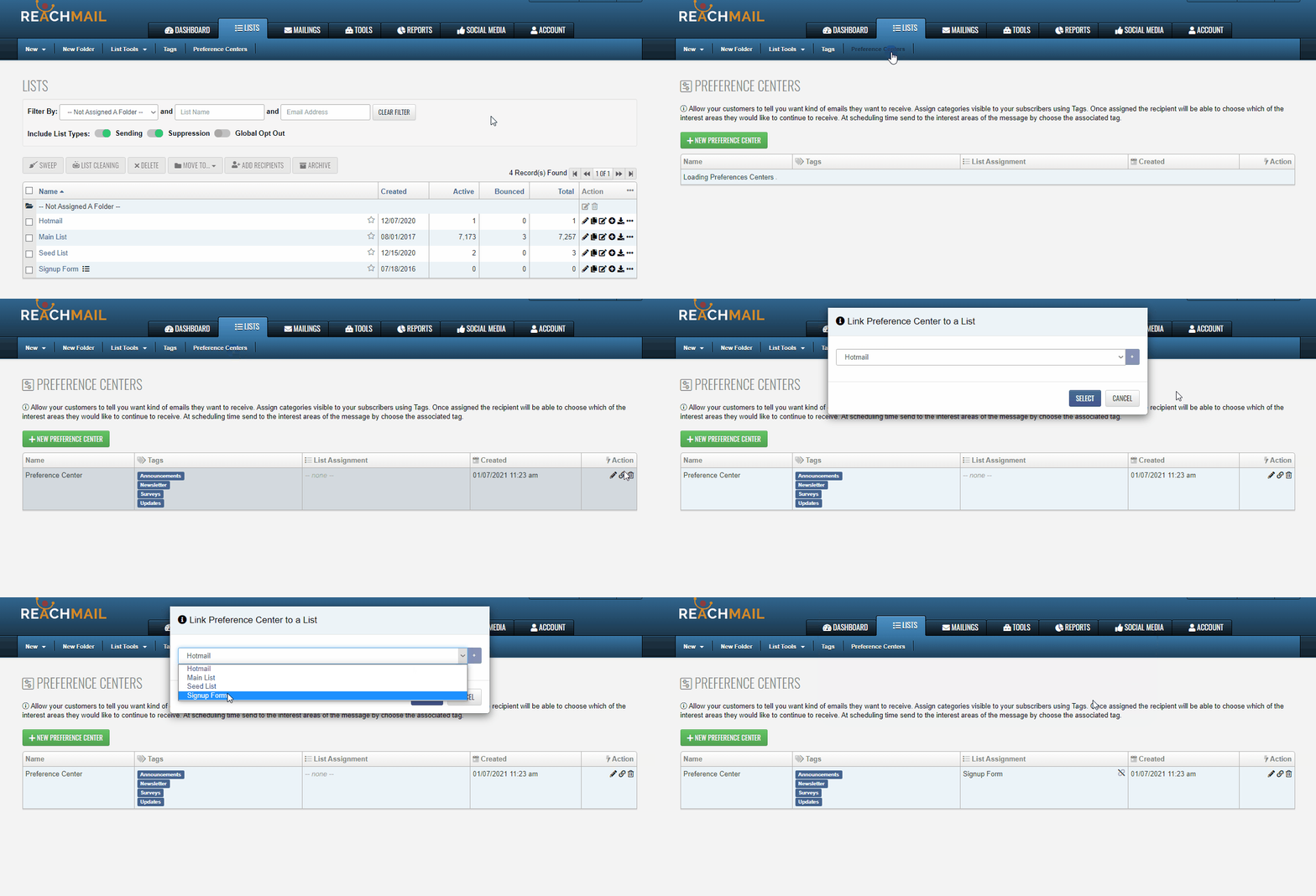
Preference Centers can be created in your account from Lists → Preference Centers.
How to Link a Preference Center with a List
- Go to Lists → Preference Centers
- In the Action column, click the Associate to a List (🔗) icon
- Select the list you want to link in the pop-up window
How to "Catch Up" Existing Records in a List
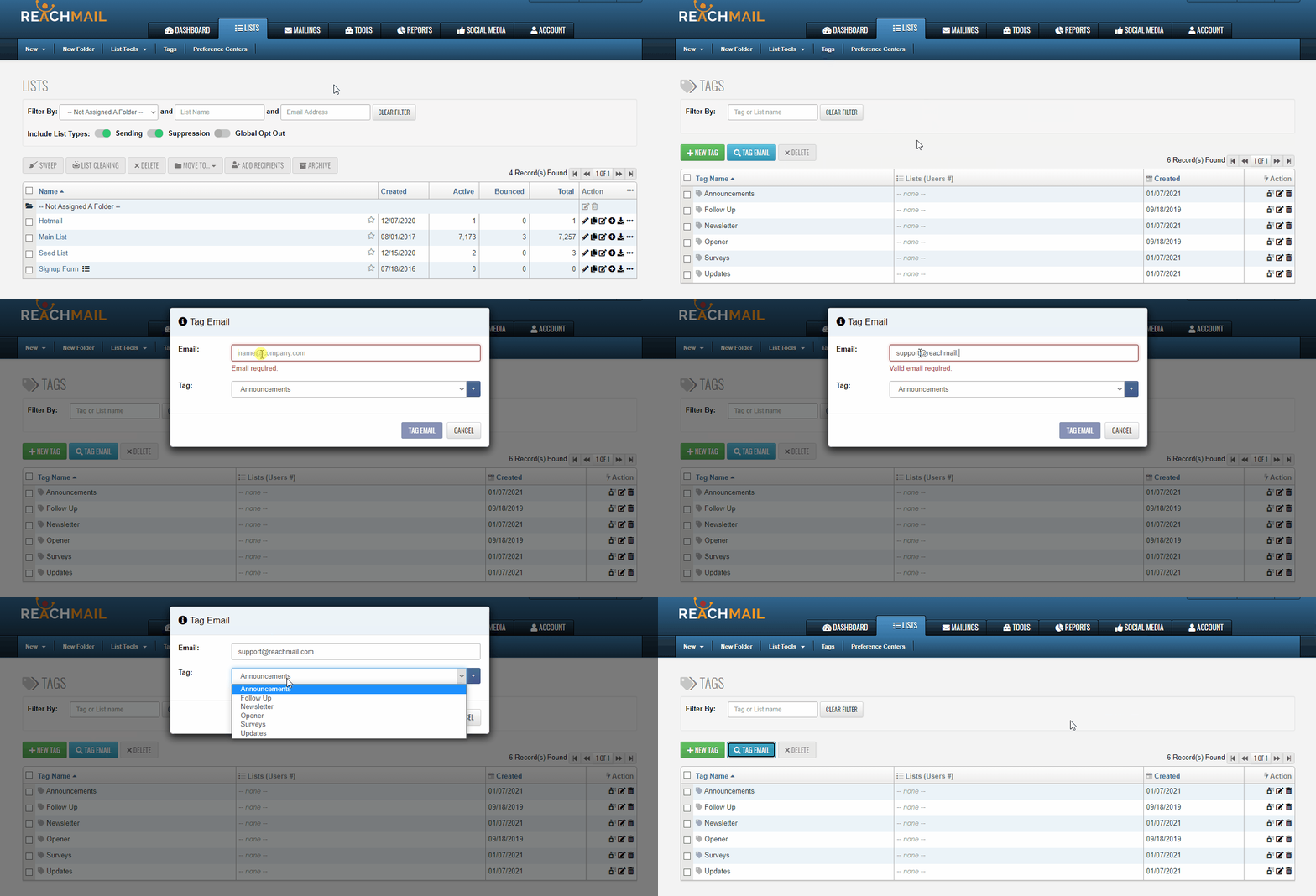
To add a tag to an existing email record, you can do this from the Tags section in your Lists tab.
- Go to Lists → Tags
- Click Tag Email
- Enter the email address you want to tag
- Select the tag to associate with that email
- (Optional) Click the + button to create a new tag
What do Preference Centers look like?
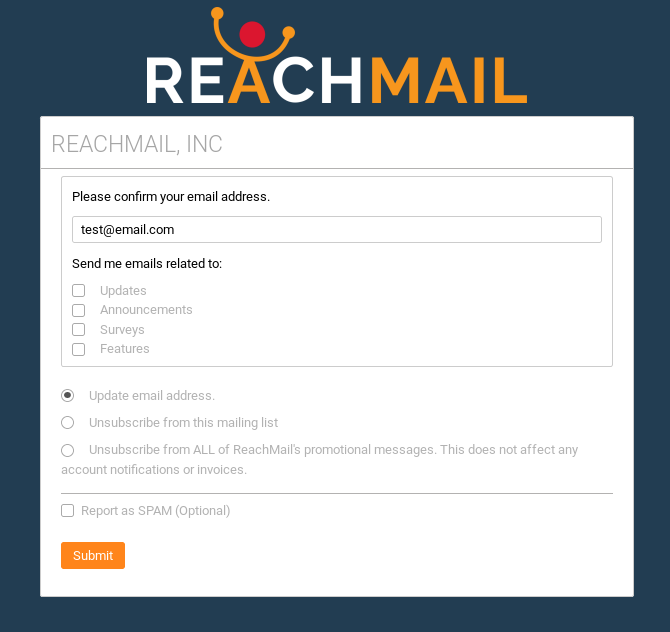
Preference Centers allow your recipients to manage their preferences. Each preference option shown below refers to a Tag. Tags can be to filter Campaigns, Exports, and Auto Messages.
Below is an example of what a preference center might look like.