ReachMail's Sending Optimization enhances email delivery and engagement by spreading sends evenly over days.
This new feature is similar to our List Warming tool. List Warming gradually increases your send volume over several days to help mailbox providers recognize your emails. Sending Optimization uses an algorithm to spread your send over time to maximize delivery and engagement.
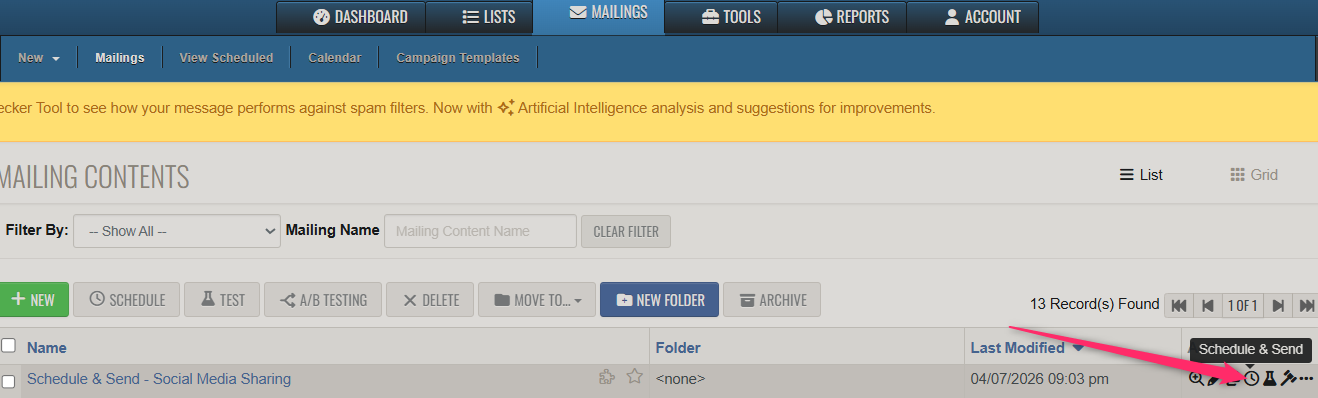
- Go to Schedule & Send for your campaign
- Open the Schedule tab
- Turn on the List Warming / Sending Optimization toggle
- Adjust options to spread your campaign over days and/or hours
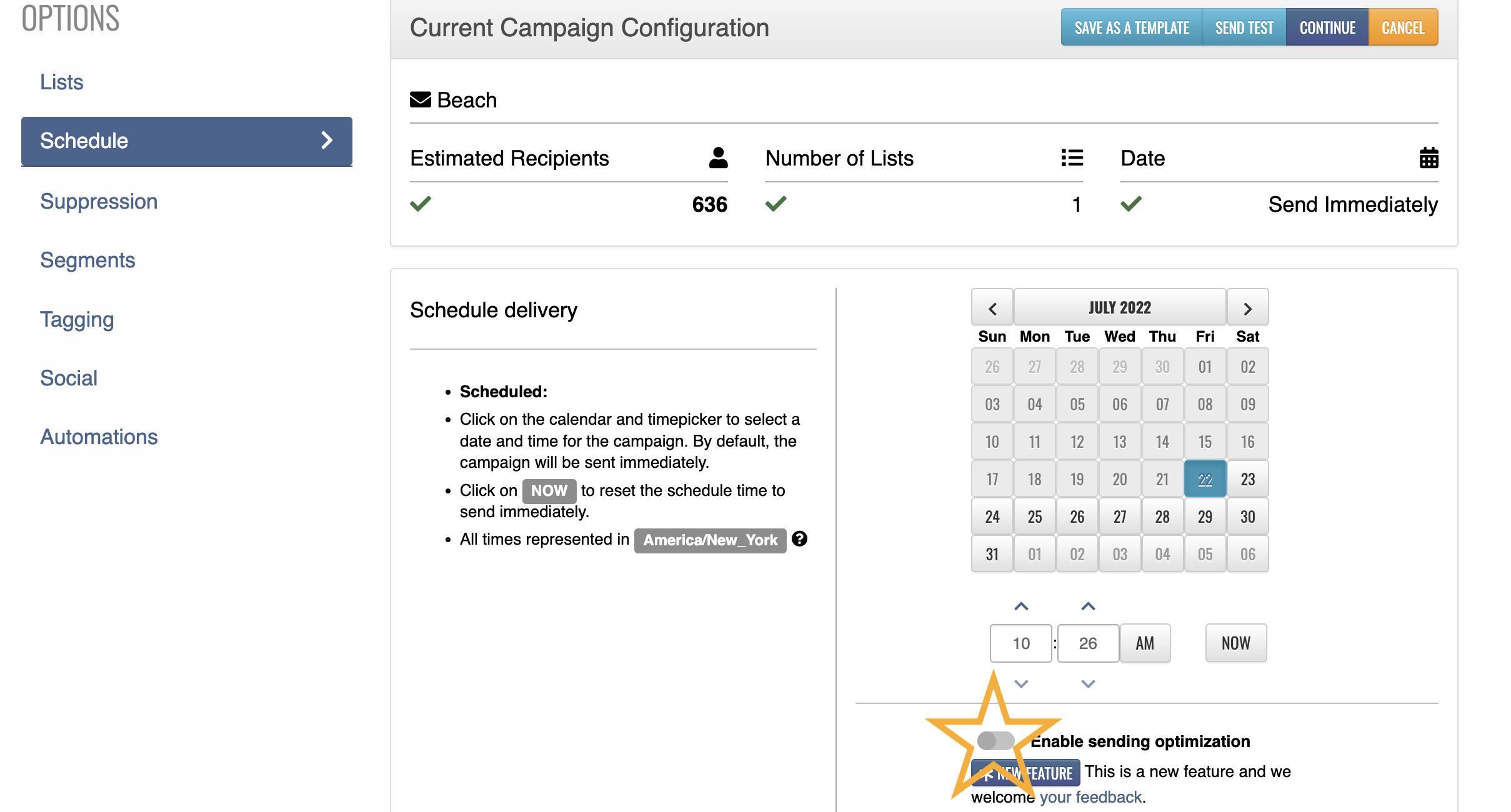
Once the toggle is enabled you will have the following selection options:
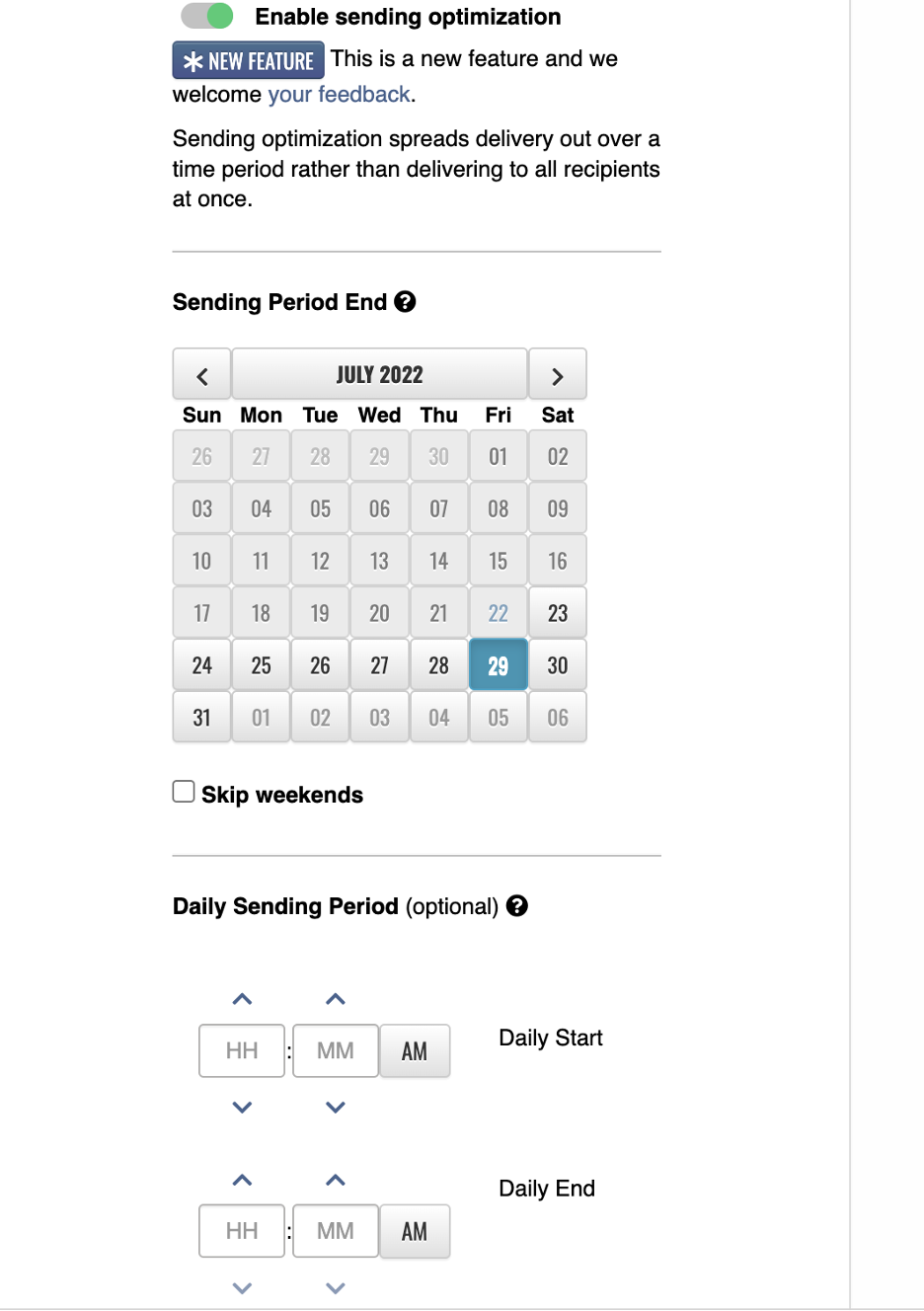
You must select the number of days over which your campaign will be sent. ReachMail will divide your list into roughly equal sections and send them across the chosen dates in 24-hour spans. Selecting specific hours is optional.
- Example use case:
- Your company has a lunch special and 1,500 recipients
- You want to avoid overwhelming staff, so you spread the send over several days
- You can optionally set the send time (e.g., 10:30 AM–12:30 PM)
- ReachMail automatically manages the daily send to small groups between the start and end dates
