This will automatically copy all contents and settings of the original mailing.
To duplicate an existing mailing, follow these steps:
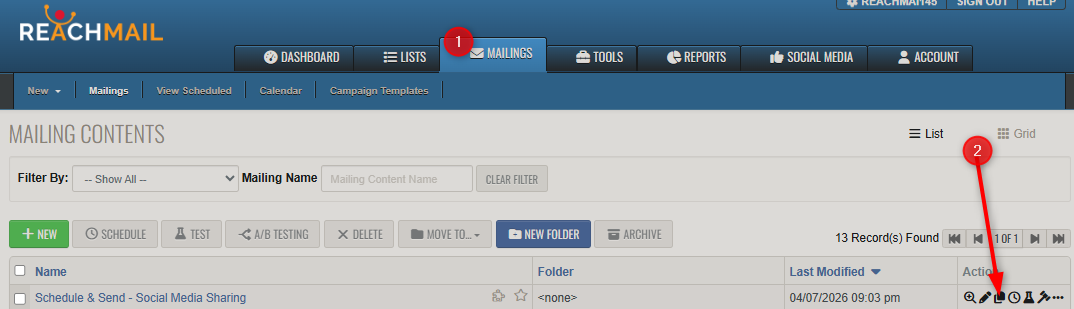
- Go to Mailings tab
- Select one of your existing mailings
- In the Action column, locate the duplicate mailing icon (2) and click it.
- A Popup will generate for you to rename the new duplicated mailing. The default name will be mailing name(#).
- Change the mailing name.
- Click OK
-
And you can then begin editing the new mailing
