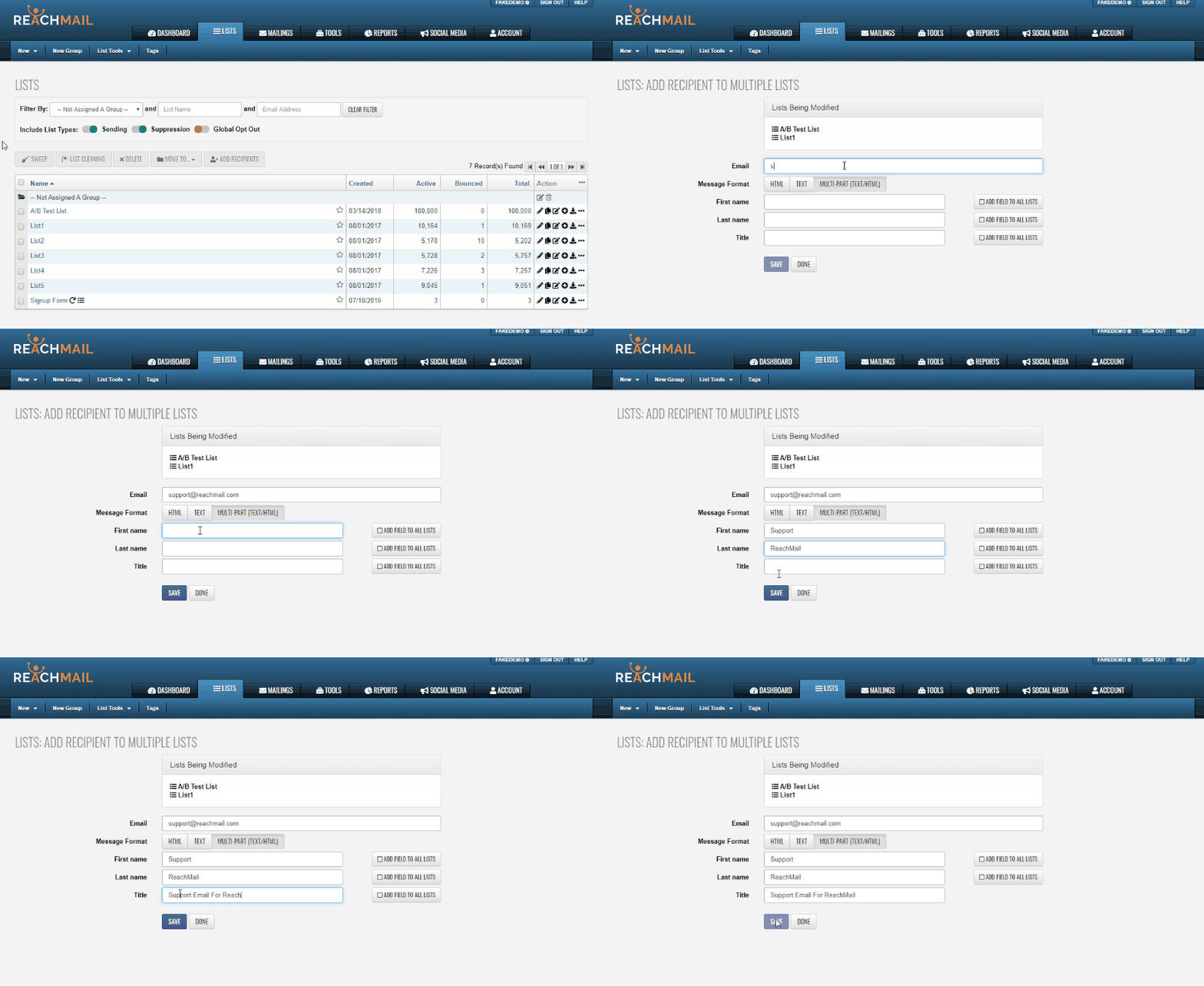
Quickly add a recipient to multiple lists! Just select your lists, enter details, and click Add Recipient.
If you want to add a single recipient to multiple lists, you can do so in one step by selecting multiple lists before adding the contact. This lets you input the recipient’s details once and apply them across all selected lists, even adding missing fields when needed.
- Go to the Lists tab
- Select the lists you want to add the recipient to
- Click Add Recipients
- On the Add Recipient to Multiple Lists page:
- Review the Lists Being Modified
- Enter the Email Address
- Fill in any additional fields
- (Optional) Click Add Field to All Lists if a field is missing from some lists
- Click Save or Save & Add New