The Manage Opt-Outs Tool helps you manage unsubscribed recipients and maintain deliverability.
Key features:
-
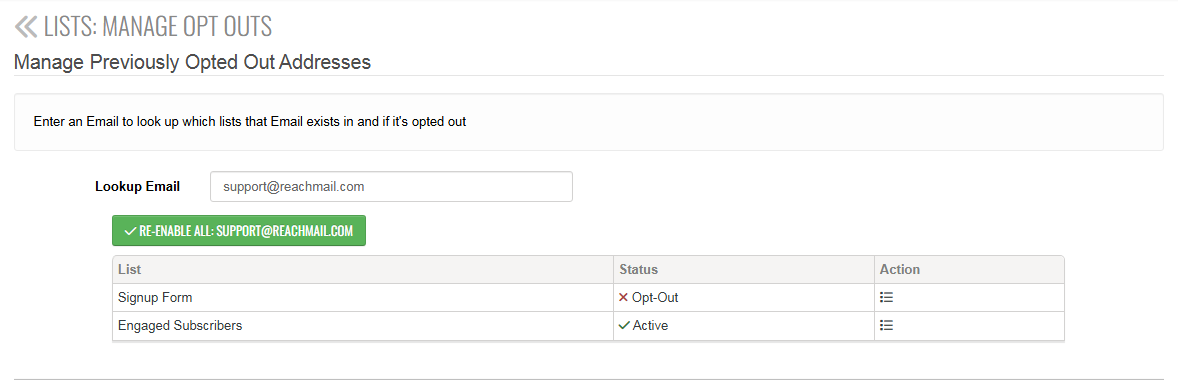
Email Lookup
- Search for a specific email address
- View which lists it belongs to
- Check if it is unsubscribed
-
Re-enable Recipients
- If the email is unsubscribed, click Re-Enable All
- This restores the recipient’s ability to receive emails
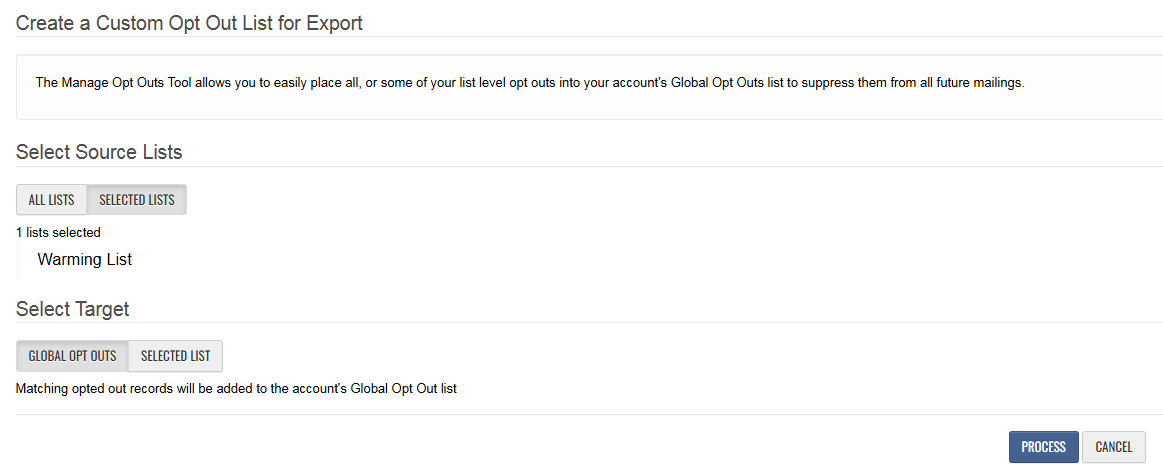
Consolidate Opt-Outs to Global List
- Transfer list-specific opt-outs to the Global Opt-Out list
- Ensures recipients are suppressed from all future campaigns
- Prevents accidental re-engagement across all lists
- Helps maintain compliance
To complete the process:
- Click Process to transfer the opt-out records
This feature is only beneficial for users who have list-level opt-outs enabled, as ReachMail automatically manages the majority of opt-outs. If your account primarily relies on global opt-outs, this tool may not be necessary for routine use.
