Directions on how to easily add contacts to one at at a time or via import in ReachMail.
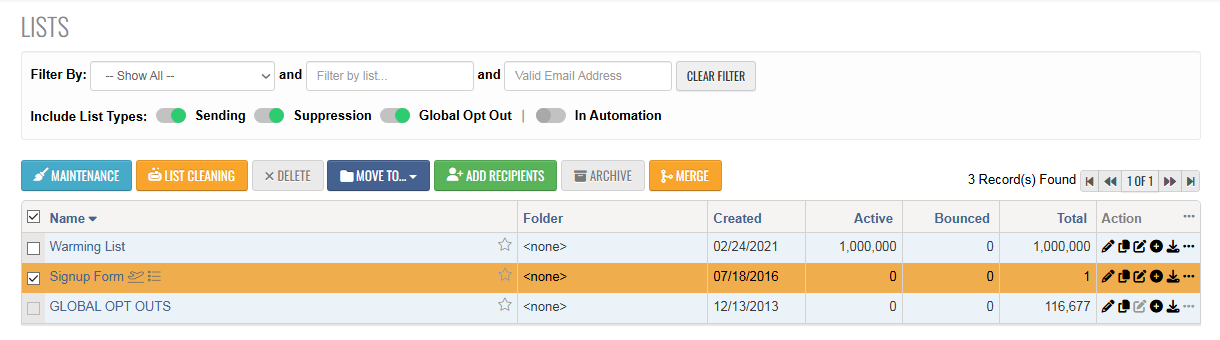
To add recipients to your list or multiple lists at once:
- Go to the Lists tab
- Select one or more lists you want to add contacts to
- Once selected, the Add Recipients button will turn green
- Click Add Recipients to proceed
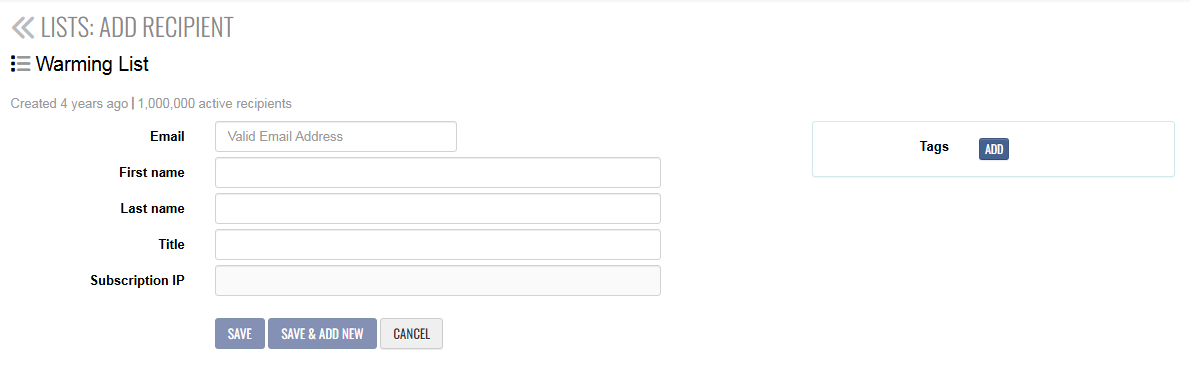
ADD RECIPIENT(s) to ONE LIST
- Click Add Recipients
- Enter the available fields for your contact
- Once done, choose one:
-
Save – to add the contact
-
Save & Add New – to add another contact immediately
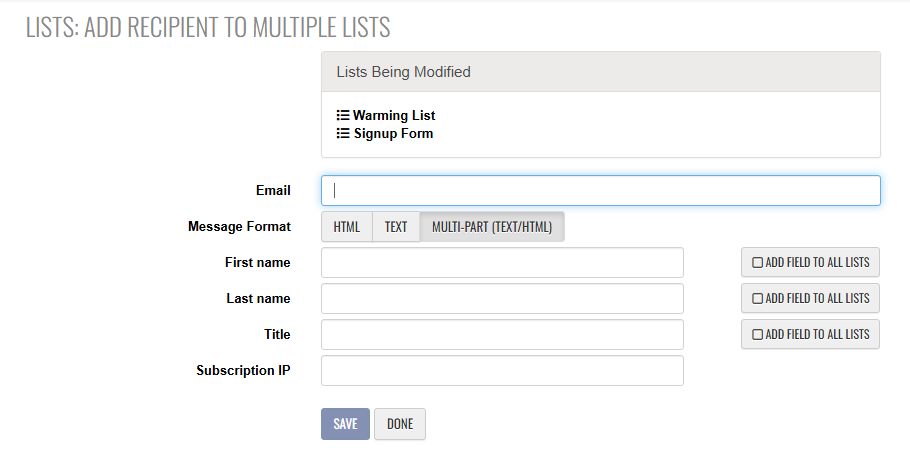
ADD RECIPIENT to MULTIPLE LIST LIST
- Go to the Lists tab
- Select the list(s) you want to add contacts to
- Click Add Recipients
- Enter all available fields for your contact in the list
- Enter the data you want to keep
- Click Save
- The contact will be added to all selected lists
If you need to add more list fields for any of your contacts, you can find detailed instructions in this support guide.
