How to get started using list segments within your ReachMail account to imporove your ROI and deliverability.
Your list can store detailed subscriber data, which can be used to better manage and target your audience. With the List Segmentation tool, you can segment based on:
- Specific fields
- Last opened
- Last clicked
To create a segment:
- Navigate to the desired list
- Click the More Options icon
- Select Create List Segments
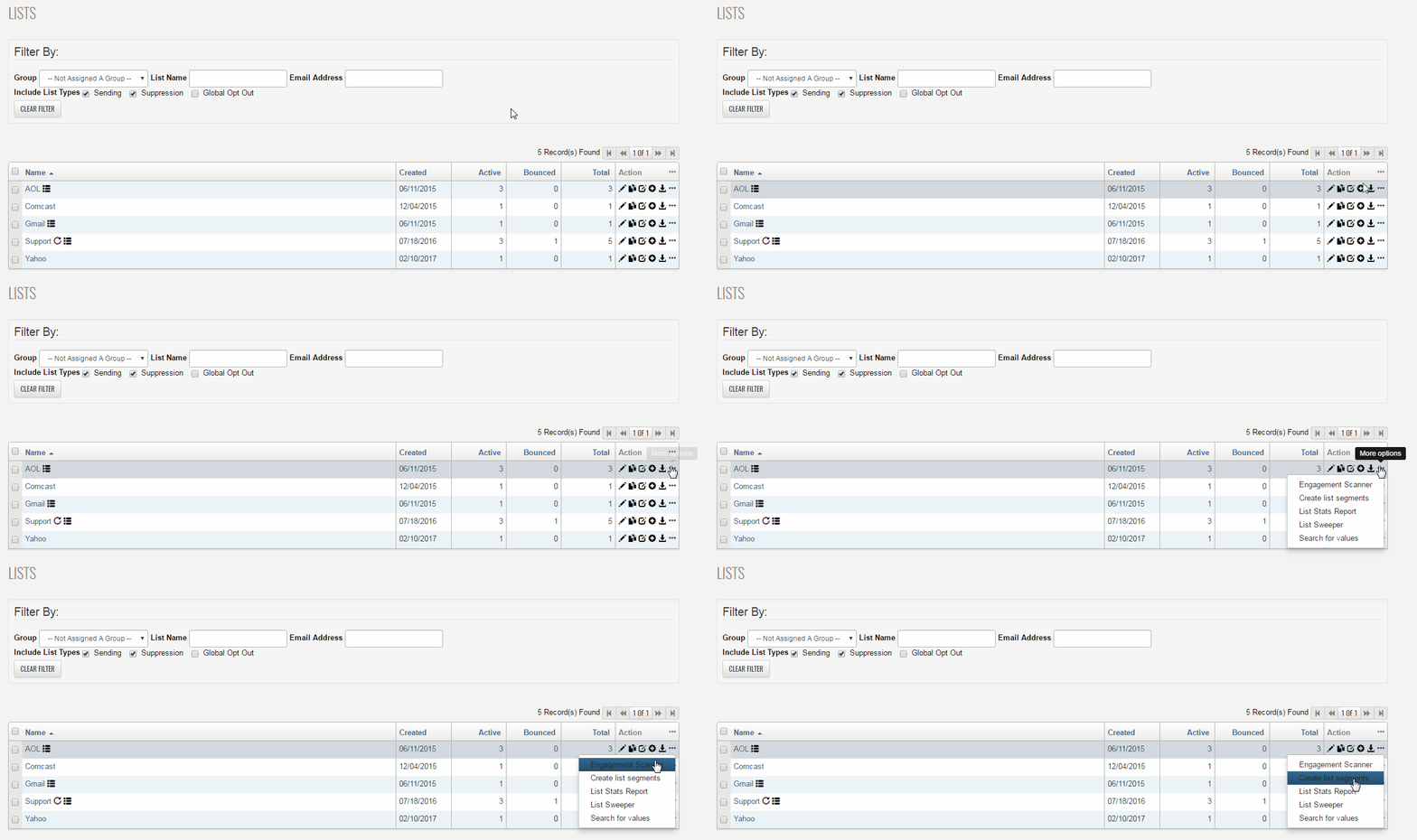
- After selecting Create List Segments, you’ll be taken to a page where you can define your segment criteria
- Segments can also be reused across other lists, as long as the same data fields are available
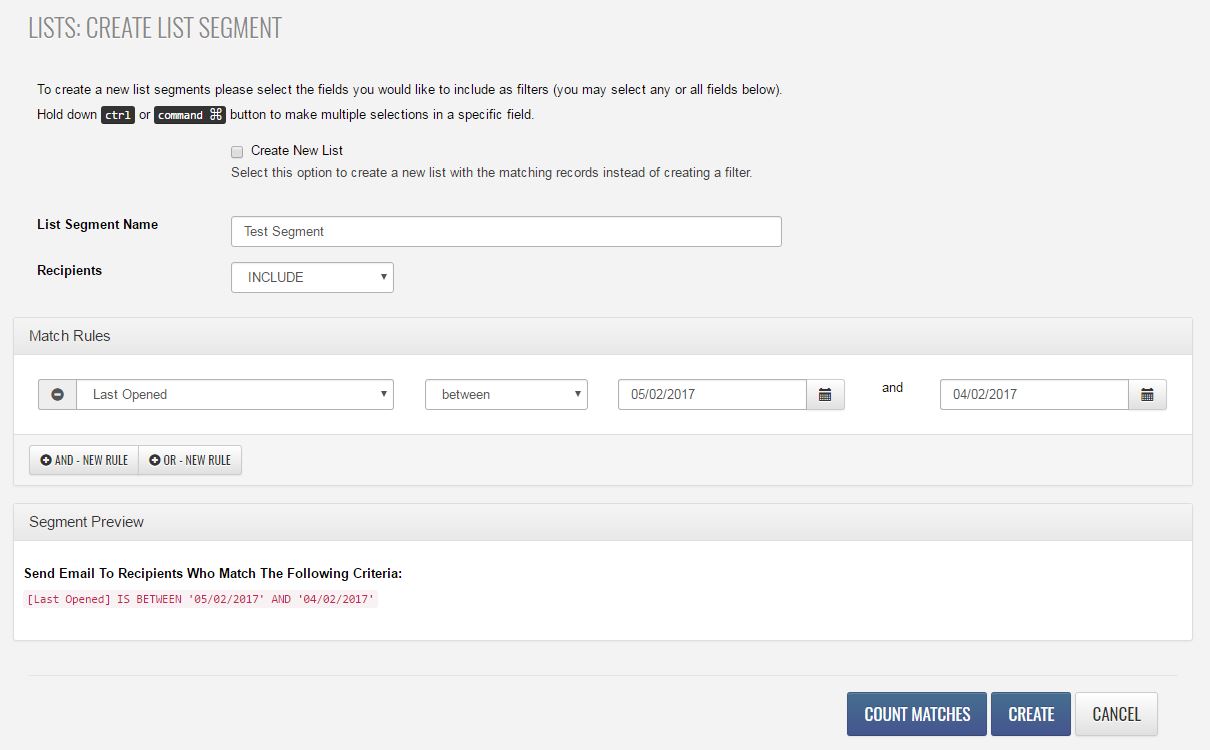
List Segment Name – the name you want to save the segment as in the system
Recipients – choose to INCLUDE or EXCLUDE based on your segmentation goal
Match Rules – define the criteria for your segment:
- Target specific fields, last opened, or last clicked
- Example: Last Opened between 05/02/2017 and 04/02/2017
- Add multiple rules and set them as AND or OR
- For date fields, use a specific date or a date range
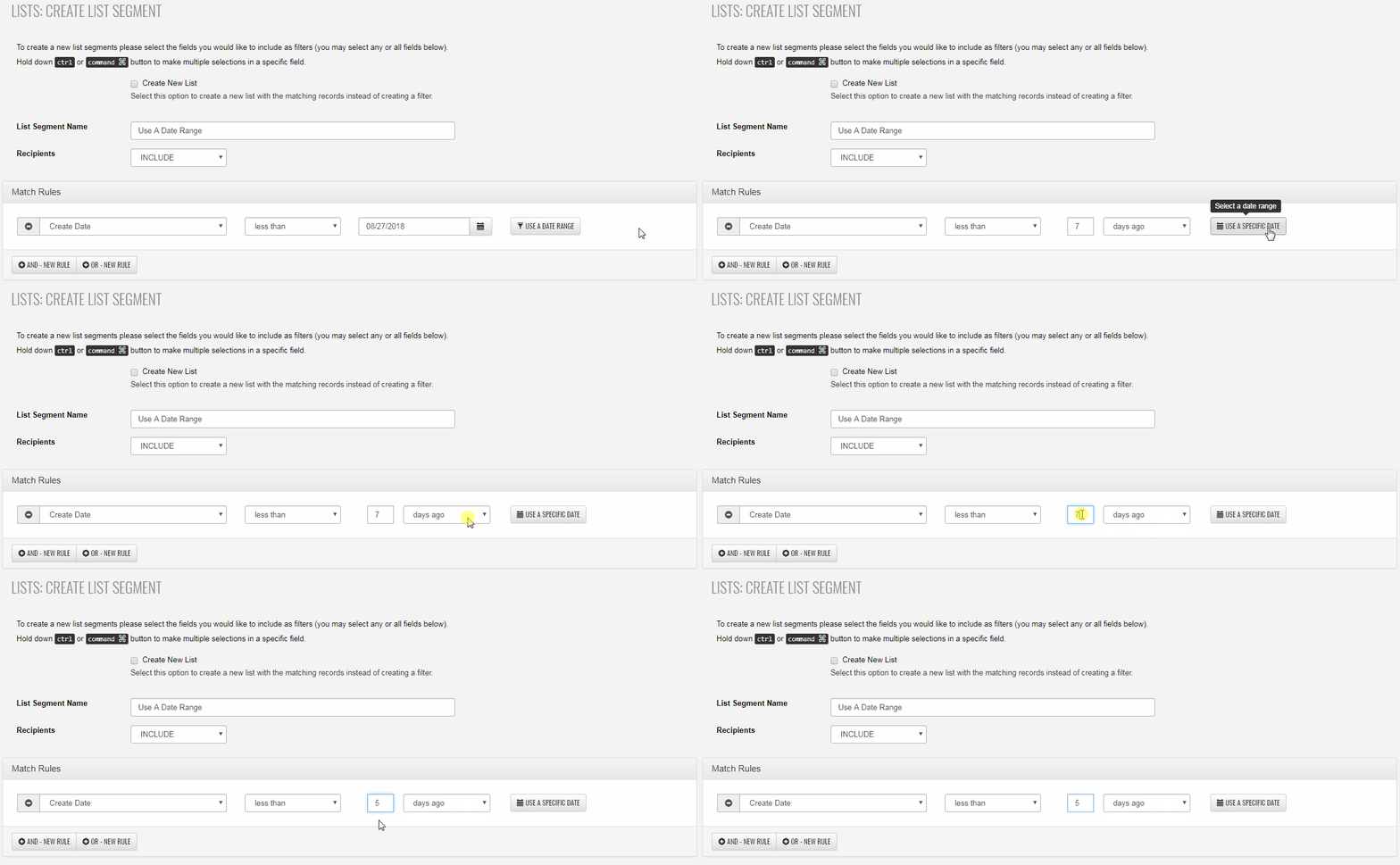
Before creating your segment we recommend using the Count button to ensure the information is matching records within your list data. Once you're confident the segment is created with all the necessary features you can click on the Create button.
