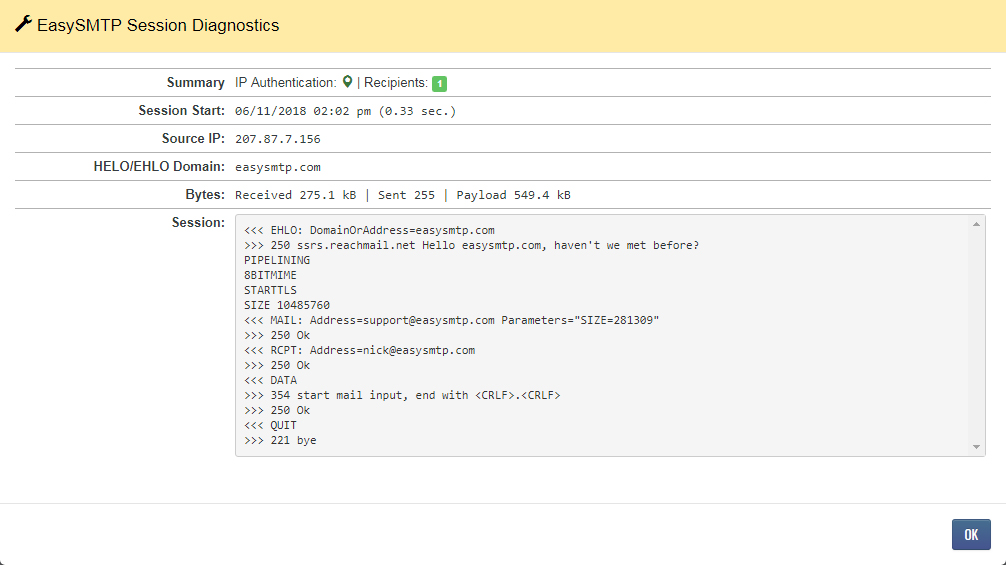
The Easy-SMTP dashboard shows the tools, reporting and troubleshooting email issues for you Relay account.
Log in to the Easy-SMTP user interface at ui.reachmail.net to access tools and reporting for troubleshooting and tracking messages. After logging in, you’ll land on the Dashboard, where you can:
- View a quick overview of your account
- See updates from our blog
If no successful connections have been made:
- The Dashboard will display connection details and API documentation to help you get started
If connections are active:
- Hover over icons to view more information about a specific item
- Click items to access additional reports
- Click the magnifying glass icon to view a detailed breakdown of your connections
- The magnifying glass view provides:
- Detailed connection information
- Key data to help troubleshoot any issues