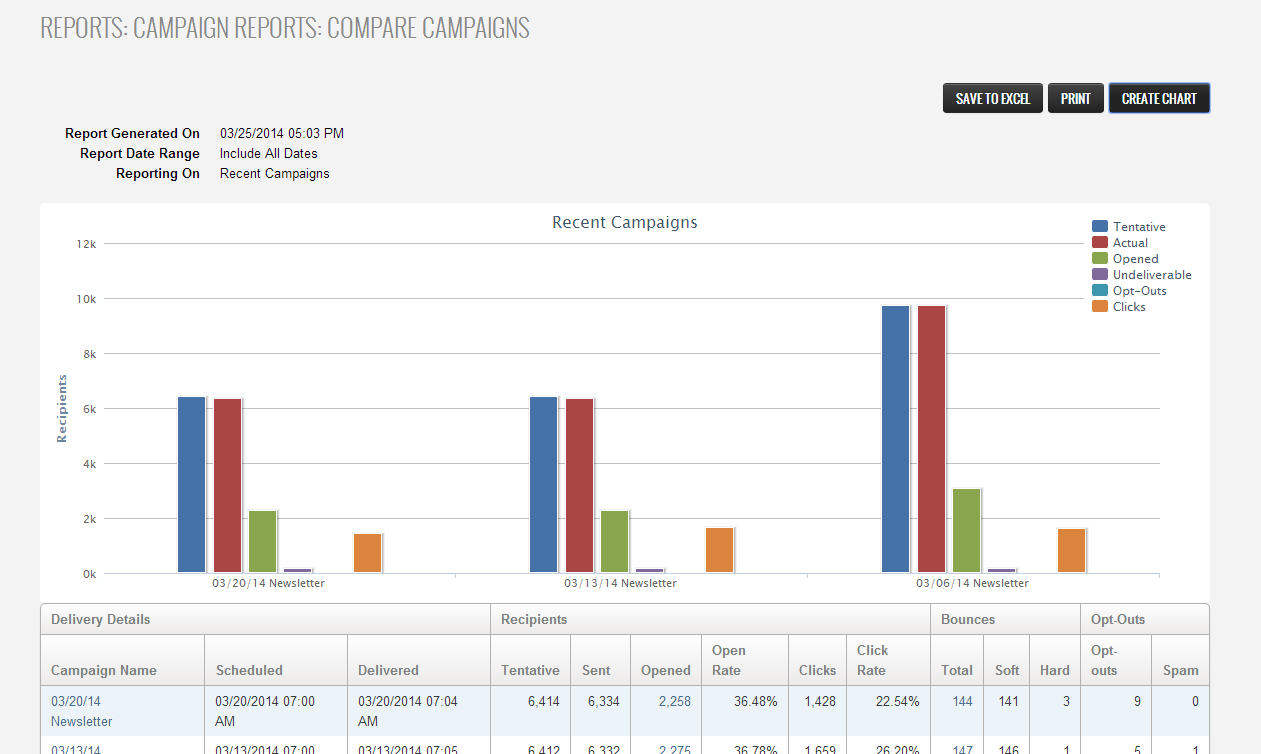
How to compare multiple sent campaigns with ReachMail's to gather the cumulative information of the selected campaigns.
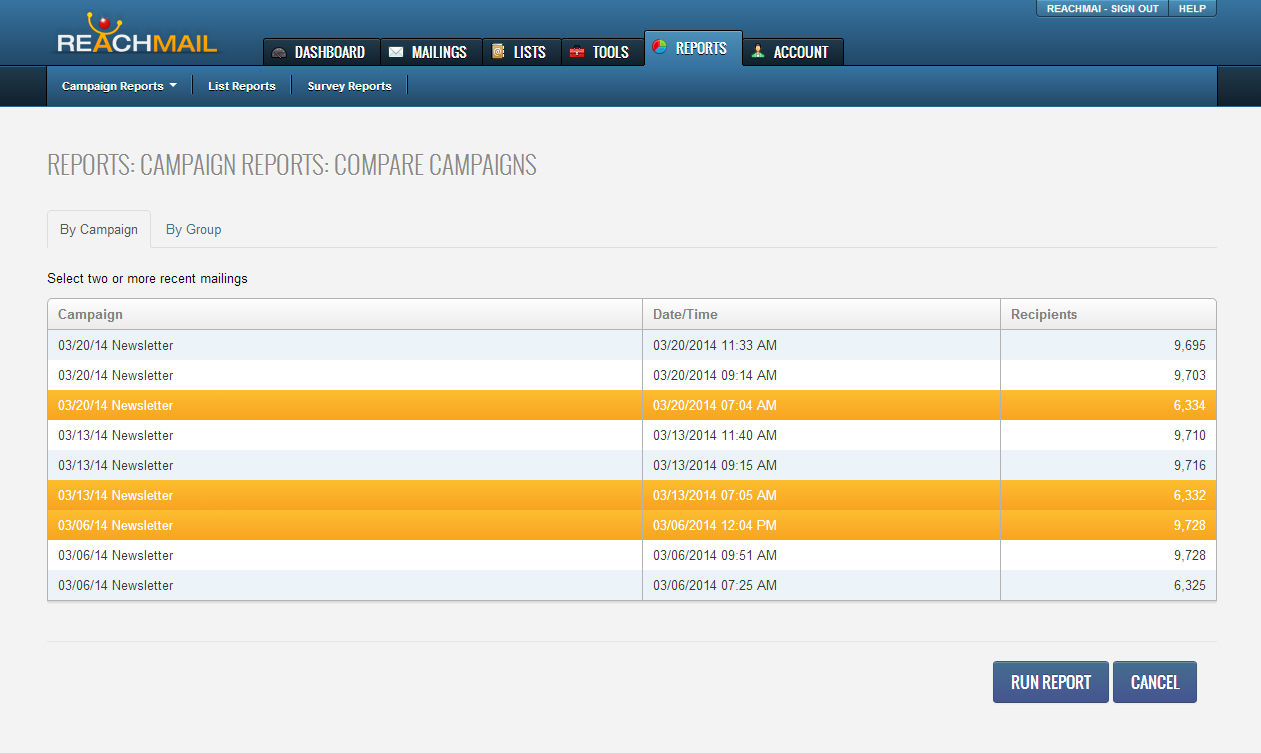
The compare campaign reports lets you select up to two or more recent mailings:
- Select all of the campaigns you would like to compare.
- Click “Run Report”
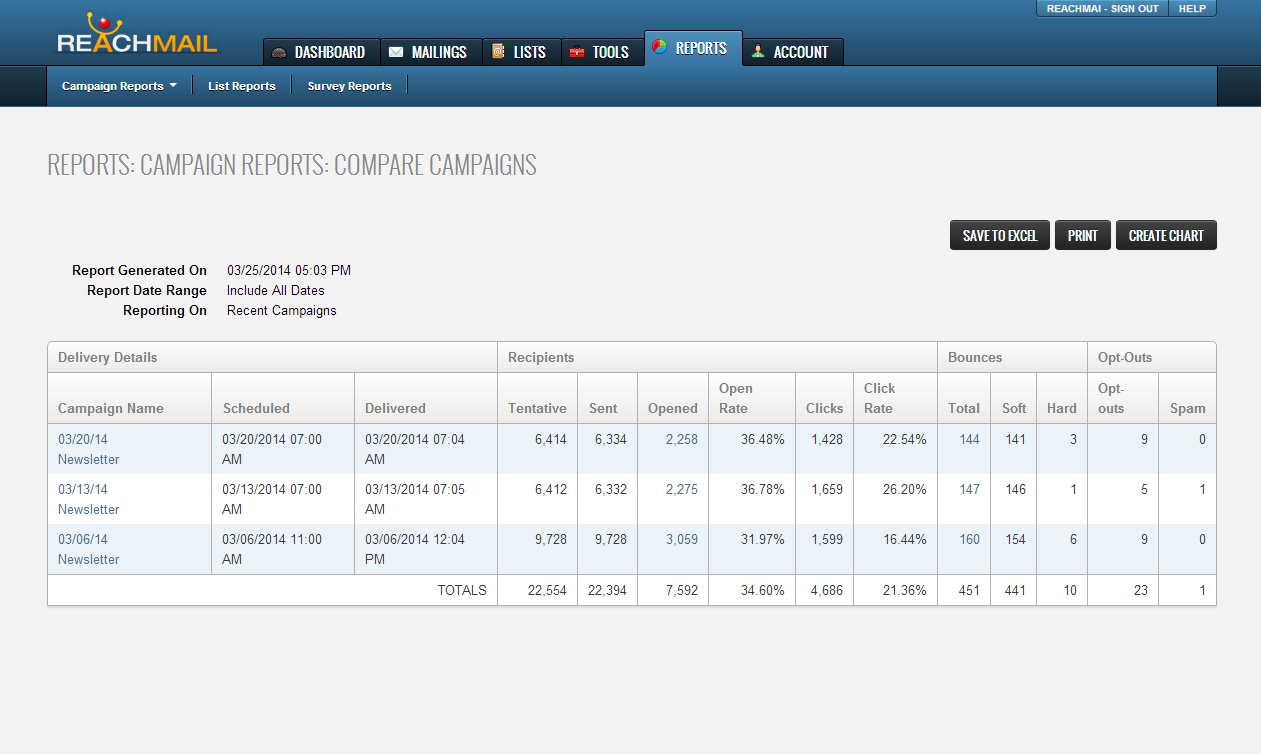
Running the report will bring you to multiple summaries of the selected reports. From here you can analyze and compare vital information such as:
- When the message was scheduled and delivered,
- How many tentative and sent
- How many opened or clicked
- Open rate percentages
- Soft and hard bounces
- Spam complaints
- Opt outs
Additionally, once a compare report is run:
- Save to Excel, Print, or Create Chart.
- Clicking on Create Chart will create a bar graph of:
- Tentative
- Actual
- Opened
- Undeliverable
- Opts outs
- Clicks.