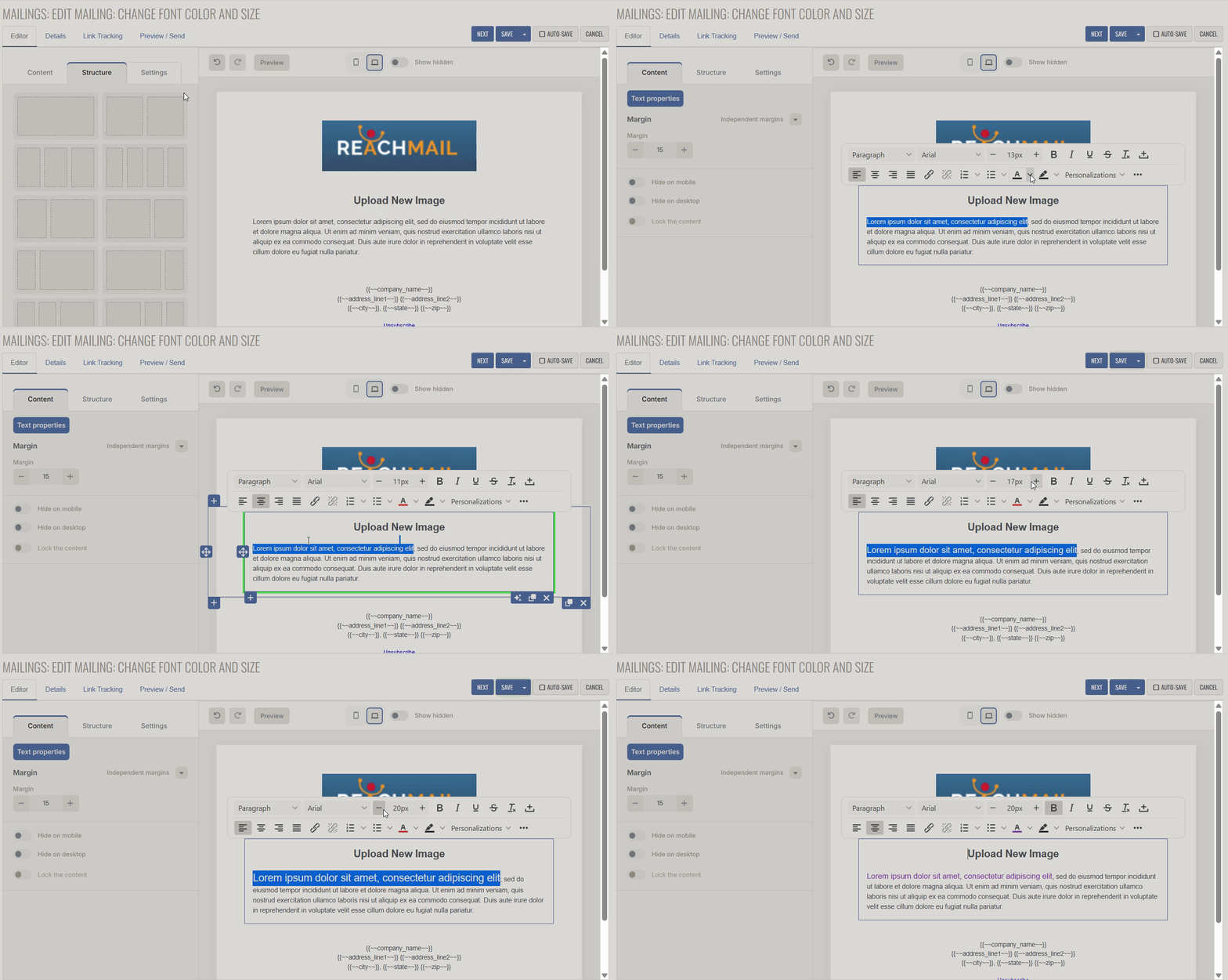
Directions on how to change the font color or size in your mailing in ReachMail's Advanced Editor.
To change the font color or size:
- Highlight the text you wish to change.
- For size changes, + and - buttons to increase or decrease the font size respectively.
- You may also enter the number directly (i.e. 15px)
- For color changes, click the 'A' symbol and select the desired color.