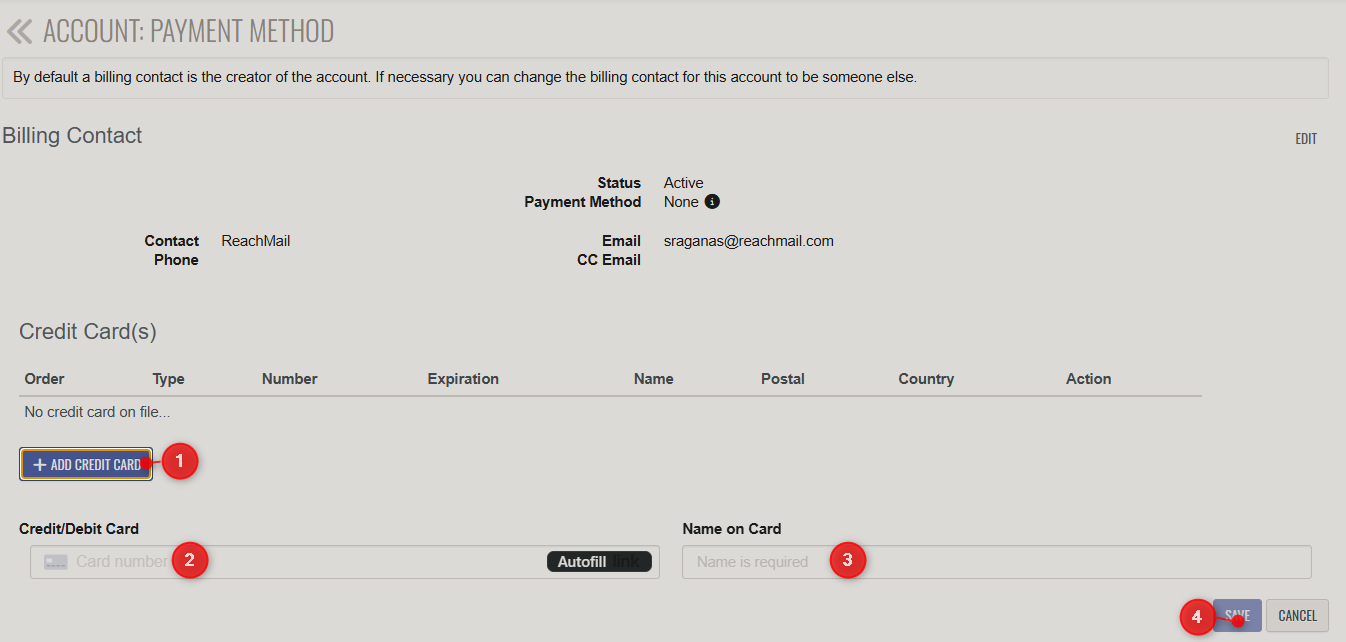
Directions on how to update your payment method/information within your ReachMail account.
All ReachMail plans are billed automatically to your credit card. If you need to change the credit card on file:
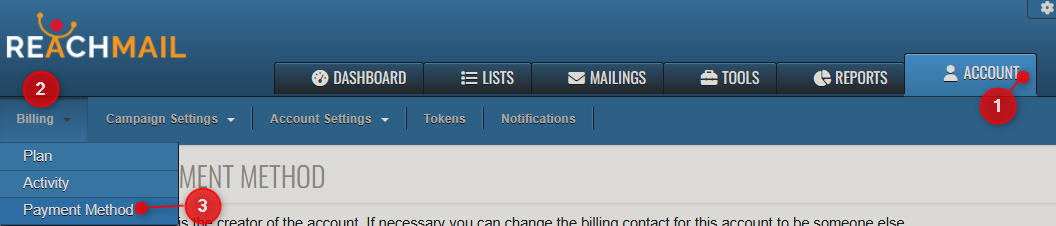
- Click Account tab
- Select Billing in the drop-down
- Click Payment method
- Click on the "+Add Enter Card button"
- Enter your credit card data in the fields that appear below
- Click Save.
- Your account will be billed on the first of the month and you'll receive an invoice via email.